
What to check
The useful detail is what it requests next. A request for a password, one-time code, remote control or a transfer to restore access belongs in a separate verification check.
Three requests that deserve a separate check
Start a fresh conversation from Winbox Contact whenever a message asks you to change how you verify your account or receive a payment.
| Message asks you to | How to handle it |
|---|---|
| Pay a fee to unlock a withdrawal | Check the withdrawal through Winbox and ask its published support channel to identify the request. |
| Share your screen so an agent can verify an OTP | Hide the screen and end the call. Open the official contact route yourself. |
| Install remote-control software to fix a failed login | Leave the conversation. Use the normal recovery instructions instead. |
What changes if you already responded
A message may appear under the name of a real brand. Judge the request and destination independently. If you sent a code or entered a password in a linked form, use the known Winbox route to recover the account.
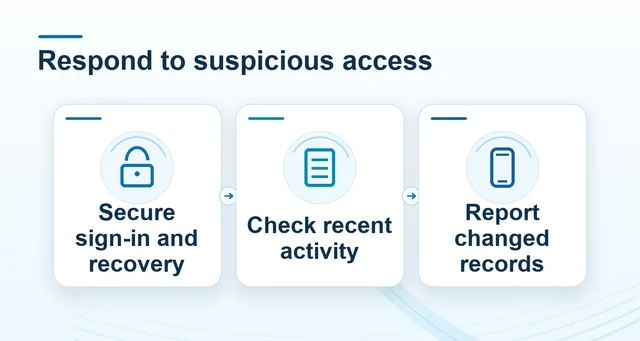 Protect your Winbox account after an unfamiliar login
Read the full explanation
Check the recovery details, recent transactions and any device information available. Contact the payment provider separately for an unfamiliar debit.
Keep the original message, time and sender when opening a support case. Hide any credentials, full account numbers and verification codes in the screenshot. A payment reference can identify a case without exposing the code that authorised it.
How to use the record
Open Winbox’s Contact page yourself and give the genuine support route the exact wording and time. Preserve the message without replying with private details. If you have already entered a code, check the active session and payment history, secure the recovery channel and share only the relevant case reference.