
What to check
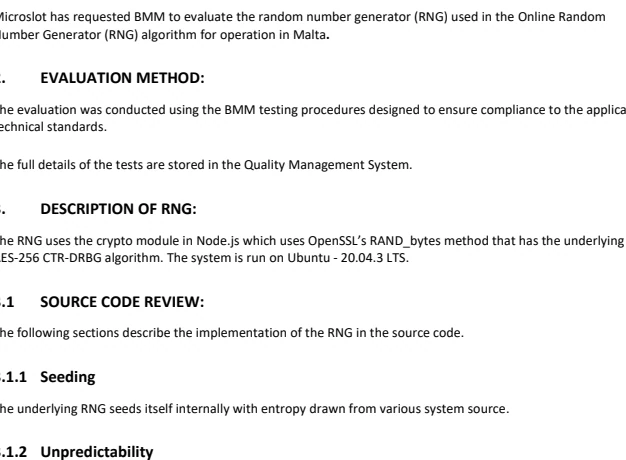
These are different measurements. Read who issued the report, which build it identifies, the date and the conditions that were tested.
What a game test can tell you
Find the named component in the report and compare it with the game you opened. Many reports cover only the particular items listed in their scope.
| Review area | Question it answers | Record to compare |
|---|---|---|
| Random-number generator | Does the report describe the random system and tests applied? | Test report ID, issuer and named component |
| Payout and return model | Do the configured rules and calculations match the return assessed? | Paytable, RTP setting and covered build |
| Game logic | Do wins, bonuses and interruptions follow the specified rules? | Title, build and conditions in the report |
Verify a report against the game
Open the game’s Help panel and take down its full title, version and displayed RTP. Next read the report’s issuer, date, applicant and tested product.
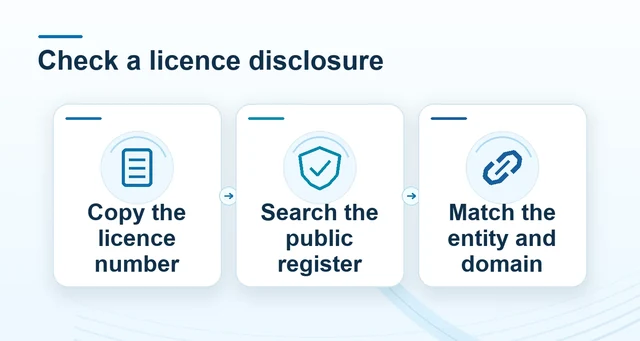 How to compare an operator licence record
Read the full explanation
If the report names a different build or covers the random-number generator alone, record the scope that actually matches.
For example, a report can support the random component of one edition while the game offers several published return settings. Check the Help screen for the active setting. Licence disclosures and payment-service reviews have separate records. Check those independently if your question concerns the operator or a transfer.
How to use the record
Compare the report identifier and named supplier with the game help panel. A laboratory logo alone leaves the scope unresolved, and even a matching game report cannot answer who operates a payment service. Keep those questions separate and verify a claim against its own named record.