
What to check
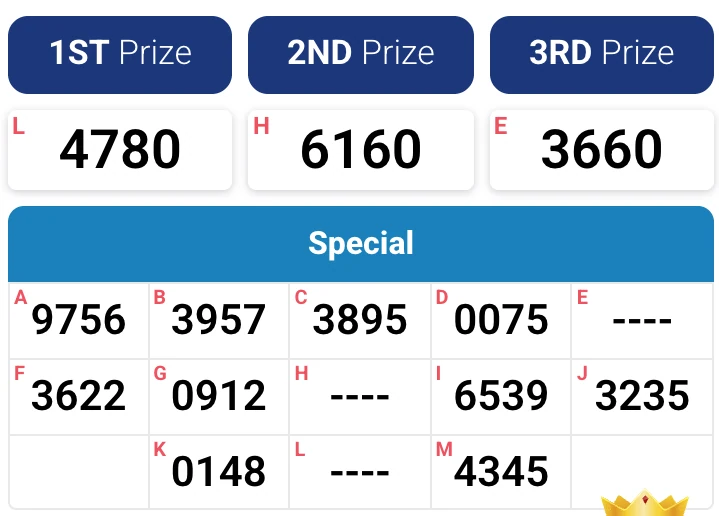
A printed entry at a retail location and a digital account entry may use different purchase and claim records. A results panel simply displays a draw from its named operator.
Read the entry, result and payment in sequence
Start with the draw and operator chosen for the entry. Enter the four digits and confirm the format, unit count and total price before submitting. Keep the accepted receipt from the account.
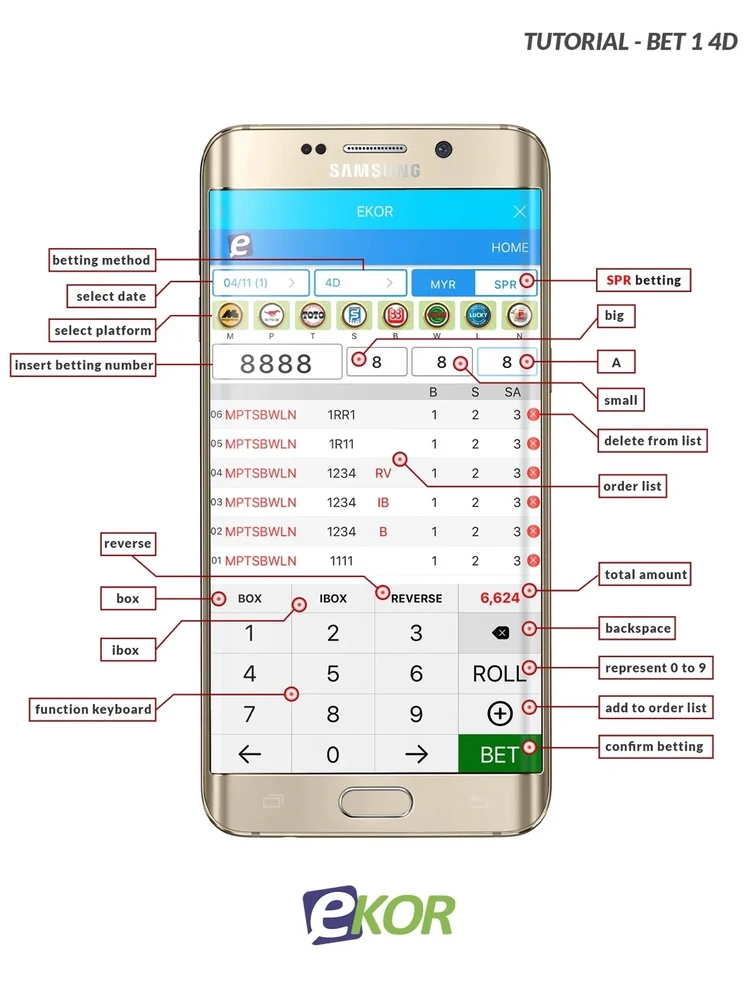
| Stage | Evidence to keep |
|---|---|
| Entry accepted | The selected number, draw, format, stake and receipt |
| Result published | The matching operator, draw date or number, and prize column |
| Award posted | Award status, amount and account reference |
| Withdrawal requested | A separate payment request and its status |
Read the full explanation
If you use a retail ticket for comparison, keep the original and follow the issuing operator’s claim process.
A small receipt example
Suppose the receipt reads 0009 for Saturday’s named draw. Use that exact date and draw number on the published board. A result for 0090 or a Sunday draw will not establish a match for that exact straight entry. If the number and draw match, compare prize coverage and then check for an updated account status. A pending withdrawal only becomes relevant after an award is credited or otherwise available under the operator’s process.
How to use the record
For a 4D result check, record the number as four characters, the selected format and the exact draw. Match the prize table to the entry, then trace any award and withdrawal separately. Keep a record of the full cost if you included more than one number or date.