
What to check
A slip, pending request or tutorial image can look like a finished entry, so check the accepted reference before you use it to match a draw.
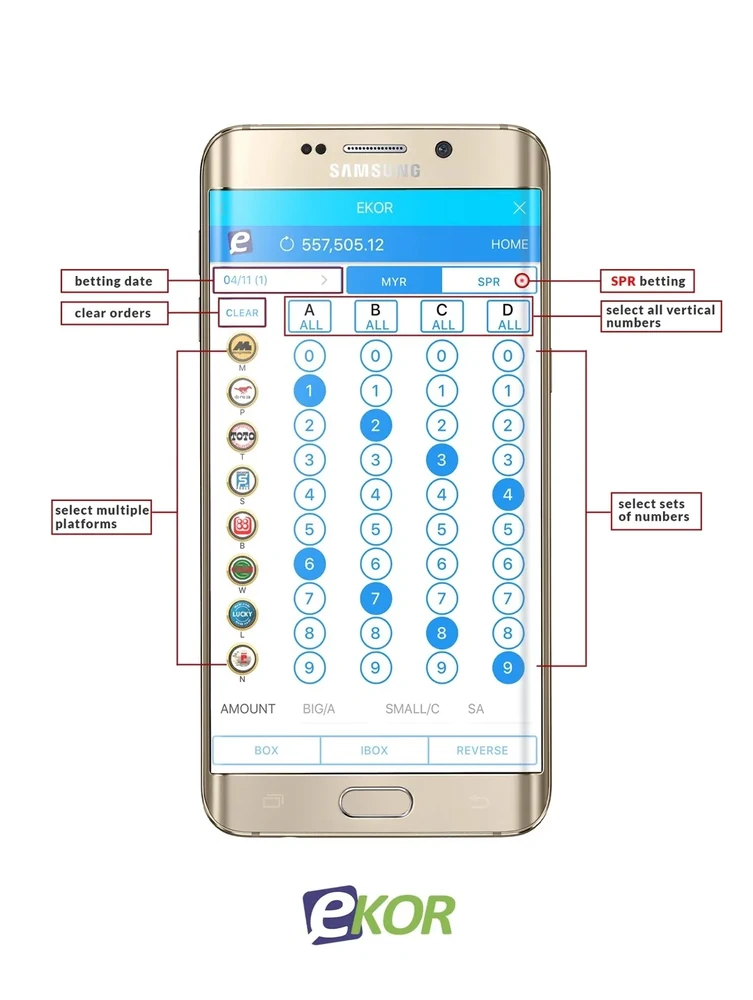
Follow an Ekor entry from selection to result
Before submitting, read the named draw and operator, the chosen format and the total shown. Set the result board aside until the account shows the entry as accepted.
| Record | What it establishes |
|---|---|
| Selection screen | The operator, draw, numbers, format and stake you intended |
| Accepted entry | The exact items received and the reference to use later |
| Published result | The numbers and categories for a named draw |
| Account history | The posted entry, award or later change in status |
Read the full explanation
A selection on a preview screen can disappear when the request is declined. A pending request needs its own status check.
Compare a leading-zero example
Suppose an accepted entry reads 0057 and the board for that evening shows 0570 under special prizes. Start by matching the operator and draw ID. Then compare the arrangements actually listed on your receipt. If your entry covers only 0057 as a straight number, the display does not match that order. If it covers 0570 as well, check whether the selected format includes the special tier.
How to use the record
Read the format before relying on the digits alone. Straight and box coverage can differ, and prize tiers depend on the selected operator and product. Compare the exact date and draw number first, then the digits and tier. Winbox’s Ekor tutorial explains the steps in the actual entry record.