
What to check
Two operators can draw on the same evening but use different draw identifiers, prize columns and claim rules. The Winbox results hub provides a starting point for checking an operator’s dated record.
Read a Malaysian 4D board from top to bottom
Find the operator and date first. Magnum, Sports Toto and Da Ma Cai each publish results for their own products. Continue to the draw number, then read the first, second and third prize entries.
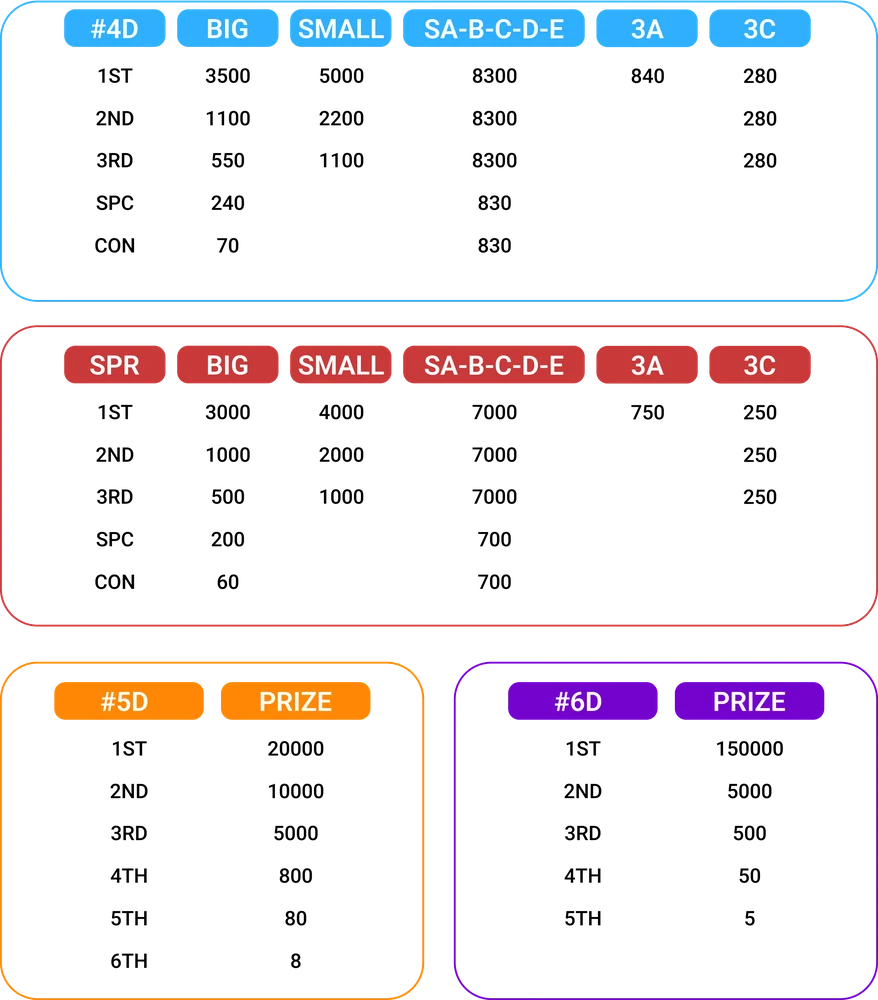
| Format on the receipt | What to compare |
|---|---|
| Straight | A single exact four-digit order |
| Box or permutation | The orders the accepted selection actually covers |
| Big or Small | The prize categories the operator assigns to the selected format |
Read the full explanation
Some boards list additional categories below the main prizes. Use the label next to the selected number when checking eligibility.
Check an example without losing the leading zero
If a board shows 0264 among additional prizes, first match the board to the receipt. An exact entry for 0264 can match its order. It still needs a format that covers that tier.
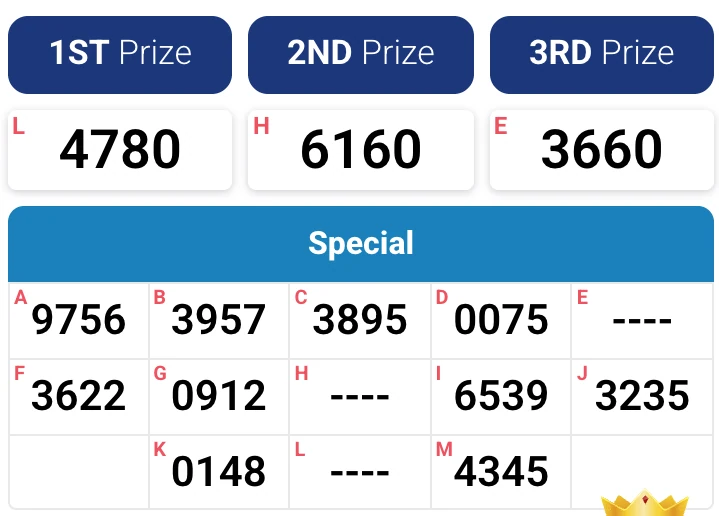
Read the full explanation
A selected number such as 0624 needs its own accepted order or qualifying arrangement.
If you see a match in a notification, reopen the board for the named operator and verify the result there. Save the date and draw number along with the prize row for a support enquiry.
How to use the record
Keep the original entry and record its date, draw number, selection and format. Compare all four digits, including leading zeroes, against the exact prize column. If the panel shows several dates, expand the one on your entry. A past matching number is useful only for that specific draw, and a results screen is separate from payment or credit confirmation.