
An automated dealing presentation is still a table game
Hotroad is a Live casino entry in Winbox. Hot Road Gaming describes its baccarat presentation as live streaming with automatic dealing and shuffling, using robot equipment rather than relying only on a human presenter.

Read the full explanation
That explains how the action is presented; it does not make an individual result predictable or establish a Winbox fairness certificate. Find the Hotroad tile, use Winbox login and identify the exact table in the account lobby.
A supplier portfolio or headline table count is not the number of tables enabled for your account.
Identify the table before interpreting a pattern name
Hotroad descriptions use names such as Dragon or Long Dragon, Ping Pong and One Two.
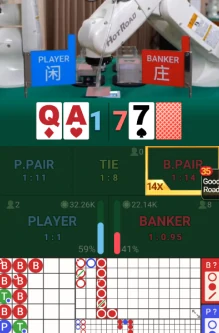
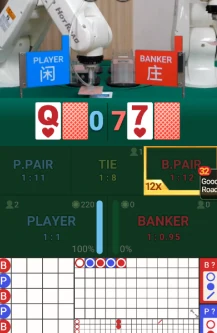
| Screen element | What to identify | Avoid assuming |
|---|---|---|
| Dragon / Long Dragon | Pattern or defined option | A streak must continue |
| Ping Pong / One Two | Actual selected rule | Name alone defines the deal |
| Limit label | Minimum, maximum and currency | Another room has identical limits |
Read the full explanation
A name may refer to a displayed history pattern, a room label or a separately defined game option; it is not enough to determine which instruction is being accepted.
Read the selected screen’s actual market, settlement rule and payout display. Do not infer that a streak label guarantees another Banker or Player result, or that Ping Pong always means two independent card sets.
Low-limit and high-limit rooms also need their own current minimum, maximum and currency checks.
Compare video, accepted instruction and settled record
An automatic dealing camera shows cards or equipment, while the account interface records whether your instruction reached the selected round. Those are different observations. Check the round status, accepted total and final history entry; a visible deal after a connection interruption does not prove a late instruction was accepted. Keep the table and round reference before refreshing.
Keep a table query separate from a rebate enquiry
For a Hotroad round query, send Winbox the table name, round identifier, time, accepted amount and final status.
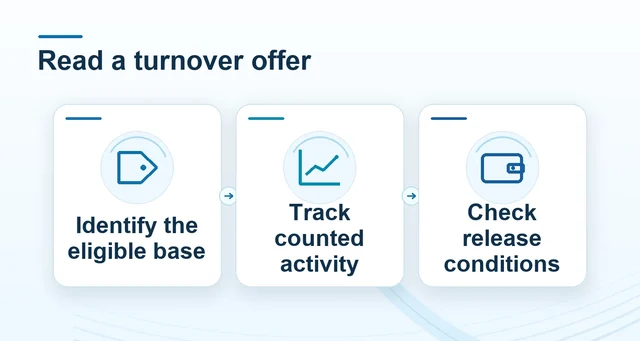 Read bonus turnover and withdrawal rules before claiming
Read the full explanation
For an offer enquiry, add the specific campaign and qualifying-period record instead of assuming a generic provider welcome bonus or cashback rate applies.
A room’s idle timeout and available observation controls belong to that room; do not rely on a fixed “two hands” exit rule from another interface.
Use Winbox’s current support route for account and payment issues, rather than a supplier sales address or an unrelated provider’s contact.