
What to check
A personalised offer could vary its timing, limit or eligibility according to account data. That is a possible industry design, so check the written Winbox offer before assuming personalisation is active.
Read the terms attached to the offer you received
A standard offer might set the same eligibility and expiry for everyone in a published group. A personalised offer could use account activity to decide who sees it, when it appears or what limits apply.
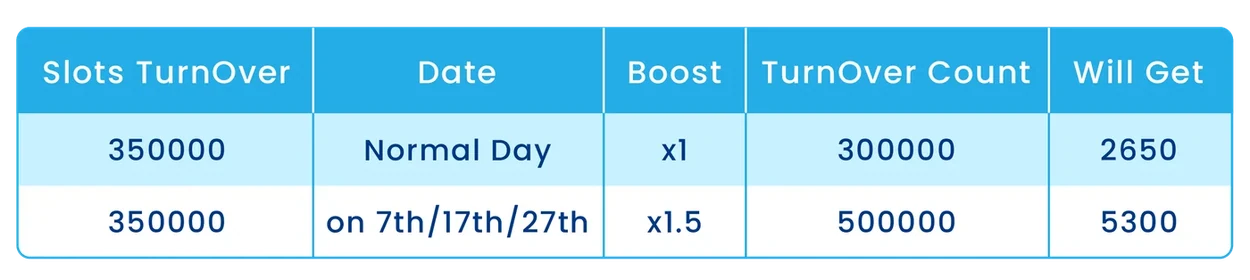
Read the full explanation
An offer shown in your account should still supply the rules that apply to the claim.
Suppose an offer shown on Monday expires on Thursday. On Tuesday a new version appears with another deadline and a different list of eligible games. Keep the Monday offer and the acceptance record together. Ask which rule applies to the accepted claim before combining the two sets of conditions.
Separate notice preferences from claim rules
Review the privacy and account settings for any available marketing preferences. Look for an explanation of what data is used when the offer is personalised.
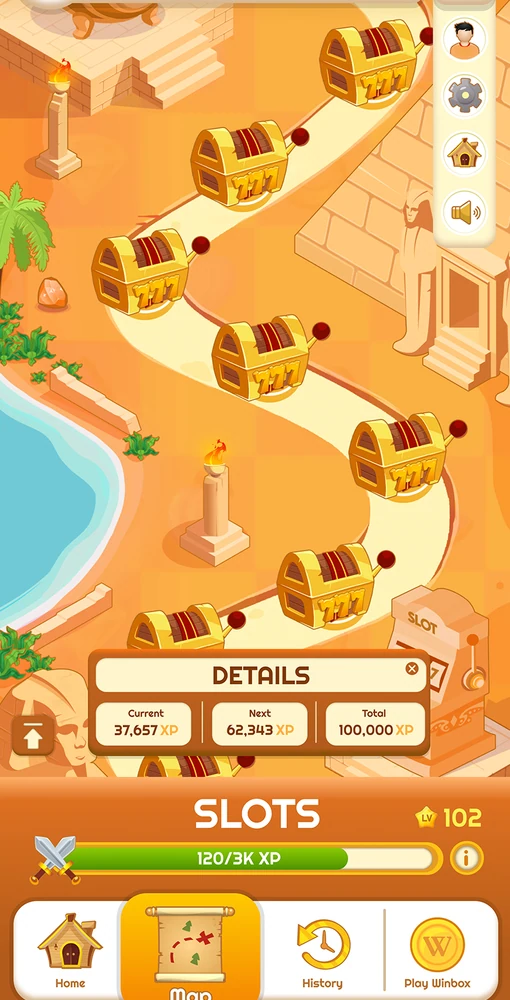
Read the full explanation
Look up eligibility, qualifying activity and expiry in the current offer terms. Those details are more useful at claim time than the fact that a message included your name.
How to use the record
Save the displayed offer name, issue time, expiry, eligible games and withdrawal restrictions. If a new version appears, compare it against the one you accepted instead of combining the most favourable clauses from both. A tailored message may still lead to a standard set of conditions.