
Reach USDT Withdraw from your account
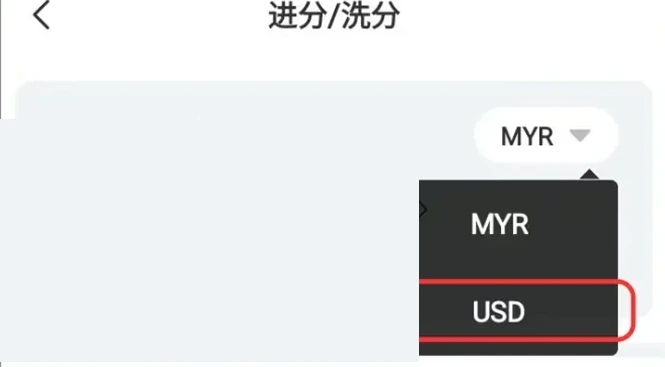
Sign in through Winbox, select Me and open Recharge / Withdraw. Switch to USD Currency if the account is not already in USD, then choose USDT Withdraw. Before entering a destination, check that the available balance and any verification or turnover requirements allow the request. The general withdrawal guide explains how pending requests and an active promotion can affect the amount shown.
 Enlarge image
Match the network and receiving address
Select Network Protocol and enter the USDT receiving address for that same network. Copy the address from your own receiving wallet, check the full value and confirm any destination-specific requirement shown by the wallet. Do not use an address printed in a guide or sent by an unknown contact. If you cannot match the network, ask Winbox support before submitting; a different network is not simply another spelling of the same destination.
- Open the receiving wallet's USDT details
- Check the network and receiving address against the withdrawal form
Compare the requested and receiving amounts
Read the request summary before Submit. Keep the account currency, requested amount, any displayed conversion or charge, and expected token amount separate. A USD account view is not itself a blockchain transfer receipt. If a charge is displayed in a different asset, do not subtract it from the USDT amount without understanding the stated calculation. Ask support to explain an unclear summary before confirming; no fixed exchange rate or withdrawal fee is established by the tutorial image.
Trace the existing request before trying again
Keep the Winbox request reference and any transaction hash supplied after processing. If no hash is available, ask Winbox about the request and broadcast status; an account reference cannot replace a blockchain hash. If a matching network result is successful but a receiving exchange has not credited it, contact that receiving service with the relevant record. The transfer-status article explains failed execution, network fees and receiving-platform checks. Resolve the existing request first instead of submitting several similar withdrawals.
Questions, answered
Can I use any network that supports USDT?
The network selected for the withdrawal must match the receiving address's network. Confirm compatibility before submitting; the shared token name alone is insufficient.