
What to check
Confirm that the phone or email you provide is one you can access later. Understand which information belongs to the account operator and which contact route provides support.
Work through the sign-up decision
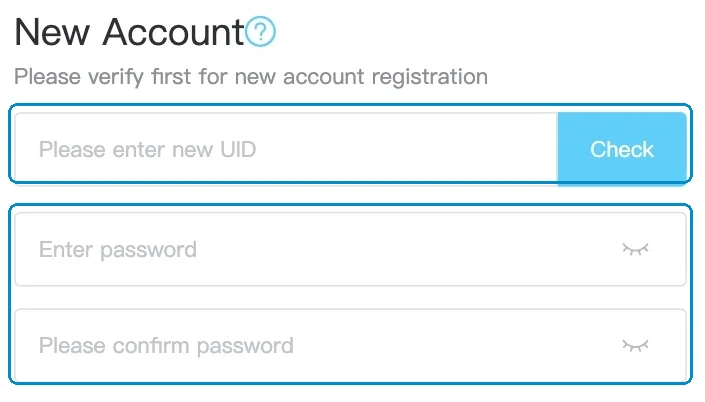
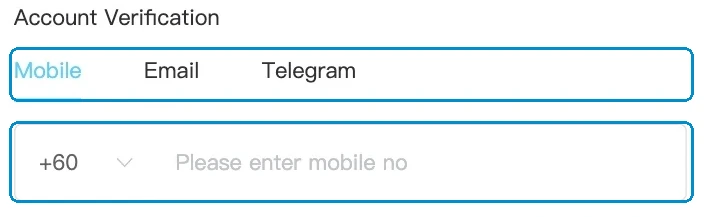
Open Winbox from the address you plan to keep. Open Register from the site’s navigation and read the fields it currently requests. Check the terms for age, location and identity requirements before submitting personal details.
| Before you submit | Where to check |
|---|---|
| Which details the form needs | The live registration form and registration tutorial |
| Whether identity verification may be needed | The verification tutorial and the request shown in your account |
| How you would deposit or withdraw | The relevant payment guide and the method shown in the account |
| Whether an offer has conditions | The dated offer terms, including eligibility and any withdrawal restrictions |
Read the full explanation
If you already have an account, check recovery or contact support before starting another registration.
Keep a useful confirmation
If registration stops at a confirmation message, record the time and wording. For example, a field error can mean the form has yet to accept the details, while a confirmation reference gives support a request to look up. Save only the fields needed to explain the problem. Keep passwords, OTPs and full identity documents out of screenshots shared in a message.
How to use the record
Open registration from Winbox and check the form language and requested details. Use the tutorial if a step is unclear, and record any application status for follow-up. Look up payment and verification requirements separately rather than assuming registration also authorises a withdrawal.